
The Vision
Project Vargo marks my entry into the domain of homelabbing/self-hosting and a concrete step towards de-googling my life. Stumbling upon Jeff Geerling‘s youtube channel peeked my interest towards DIY tech and made me venture into self-hosting services to have absolute control over my data in these times when your data is more valuable than you. Jeff had always been a prominent supporter of SBCs (Single Board Computers) which influenced me towards the raspberry pi 5 for my first server.
The pi 5 boasts a 64-bit quad-core Arm Cortex-A76 processor that is more than capable of running services short of video transcoding, where, it lags behind by a mile. I got the 16GB version tha t is more than enough for entry-level homelabbers like me. Even with 15+ services running and some unnamed docker containers, the pi 5 still has around ~30-40% RAM free.
Building Vargo introduced me to the domain of networking, devops and server administration and safe to say, I’m quite intrigued by these new additions in my learning journey.
Server Specifications
Raspberry Pi 5
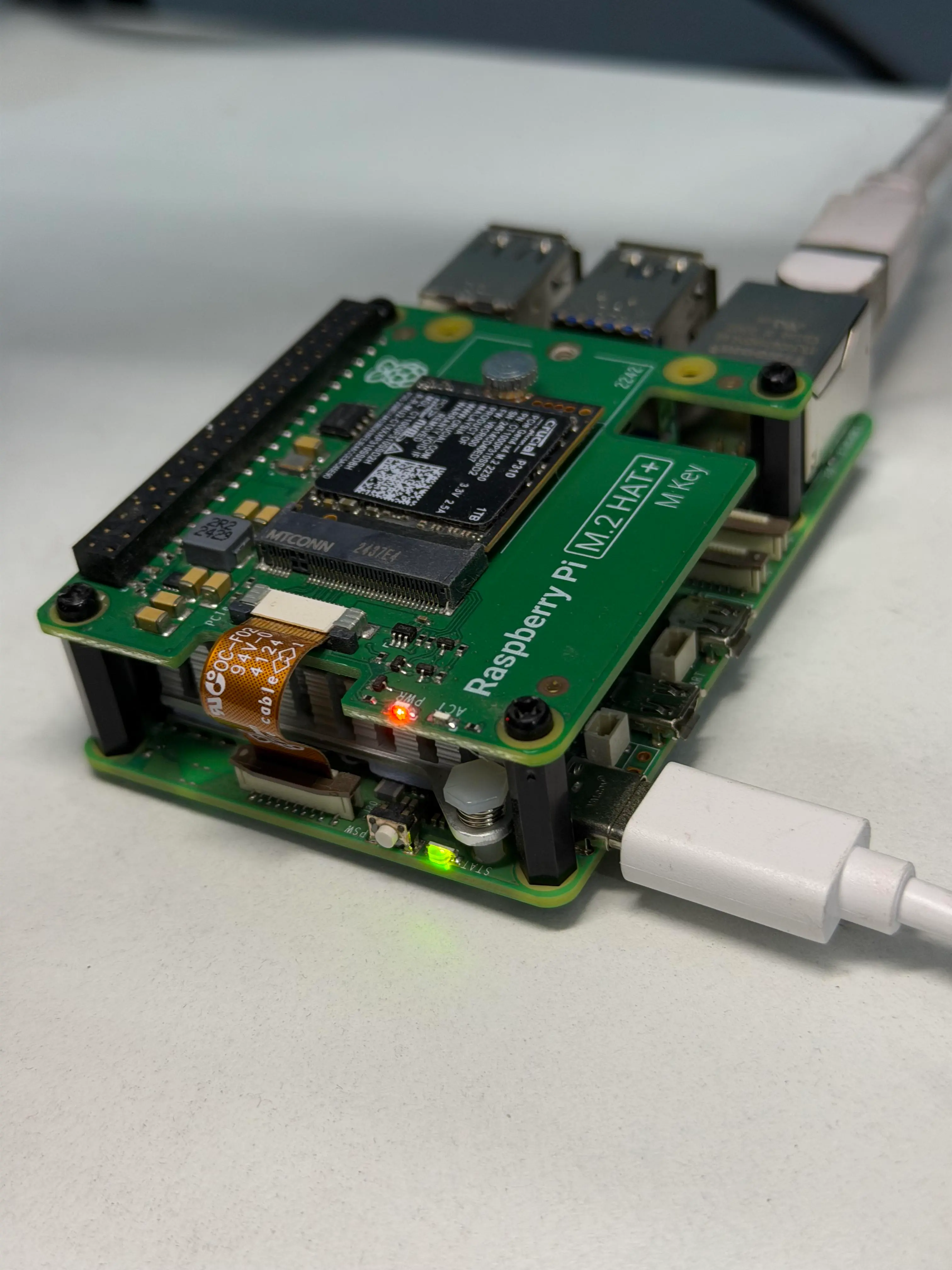
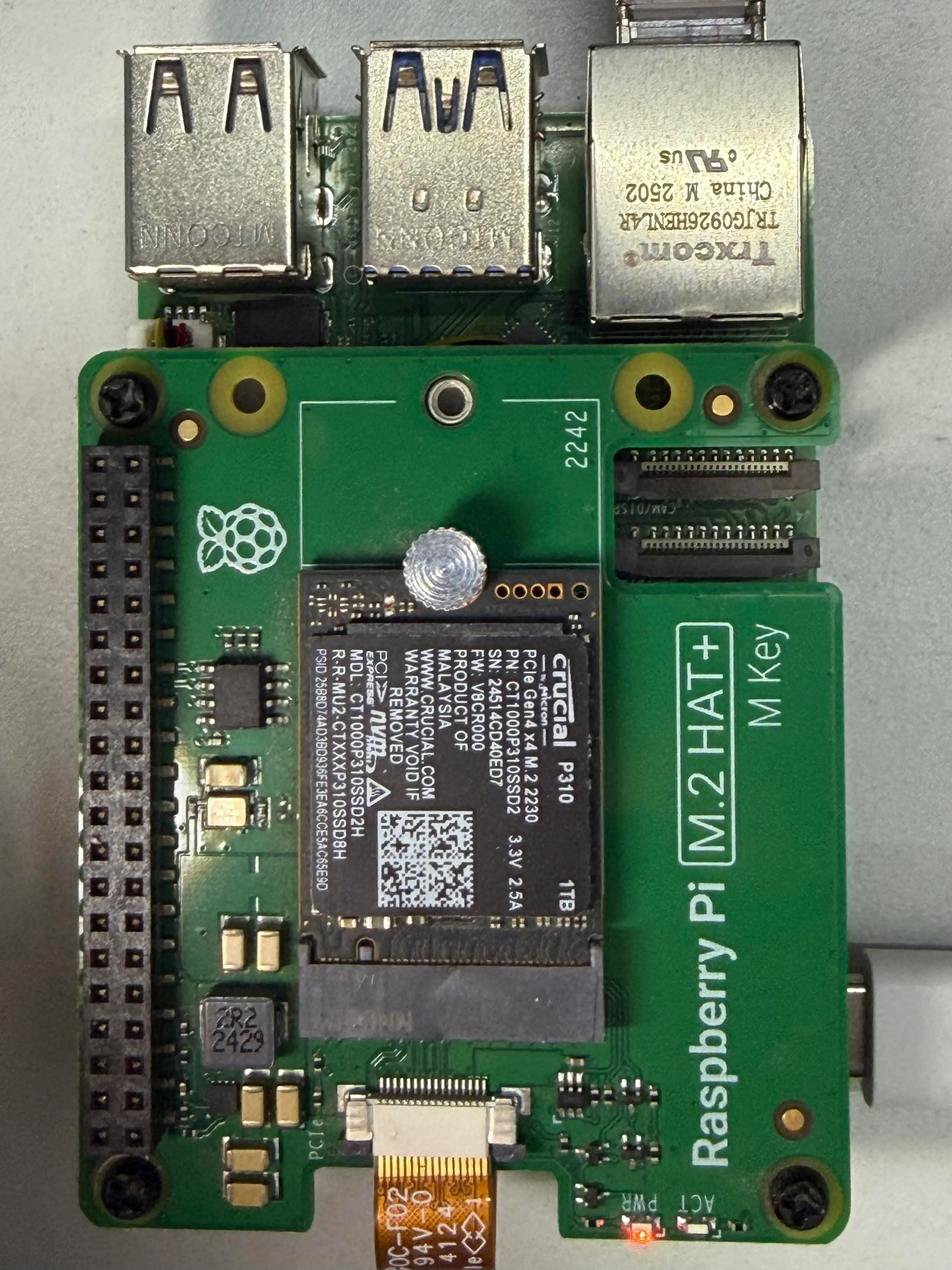
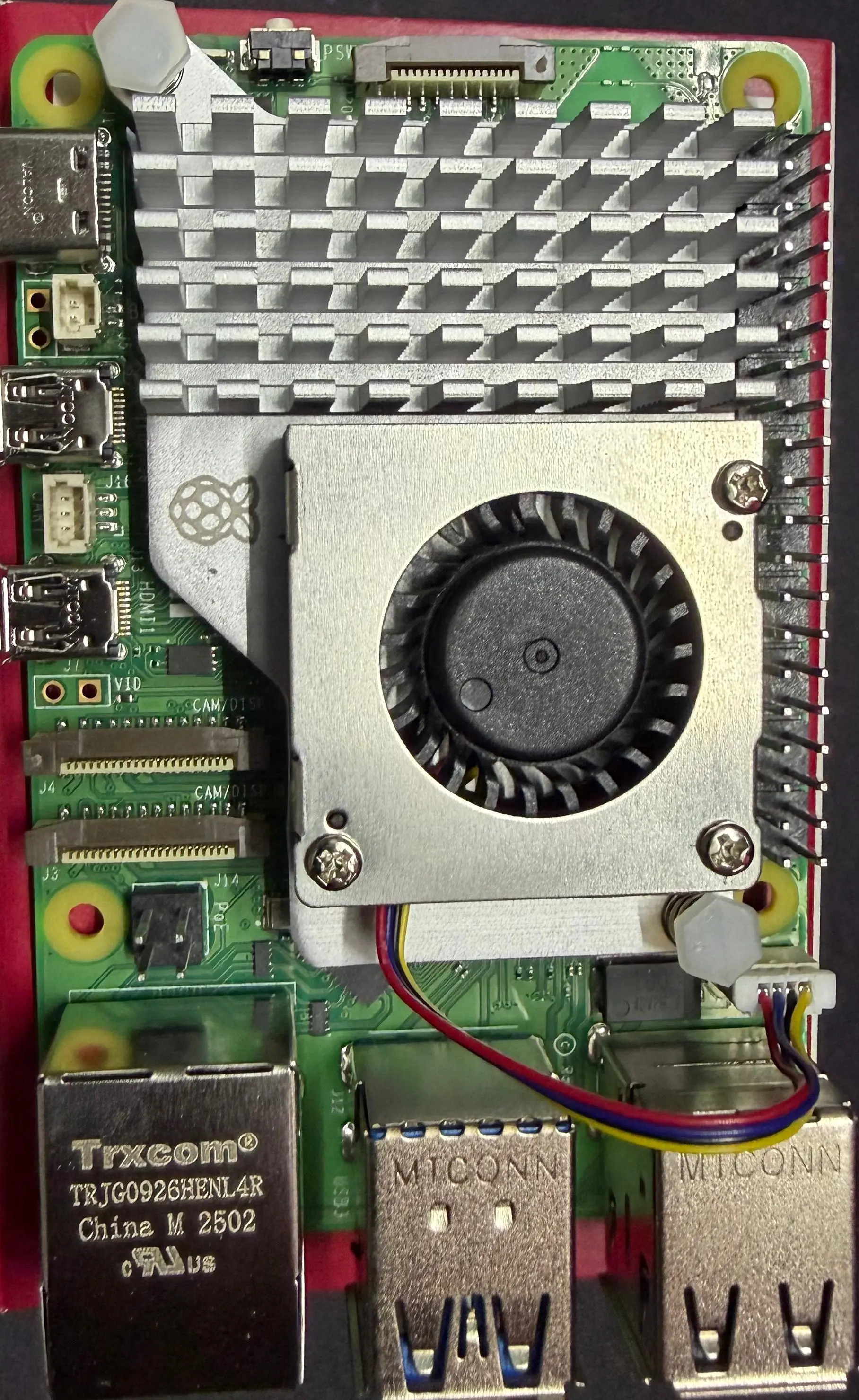
The raspberry pi 5 has a 64-bit quad-core Arm Cortex-A76 processor running at 2.4GHz with a 800MHz VideoCore VII GPU that is quite capable at handling small-scale video transcodings. I took the safest approach and went with the official raspberry pi 27W USB-C Power Supply and the official active cooler to keep the CPU temperature in checks. Since I wanted blazing fast read/write speed, I paired the official M.2 HAT+ with the Crucial P310 2230 1TB NVMe SSD. For ethernet, used a 1 gigabit cable to have a steady internet connection 24/7. I do have plans to use a 2.5gigabit network switch but that’s for later. Topped it all off with a smart plug to get some metrics, especially, average electricity bill for the month :)
Monitoring Service
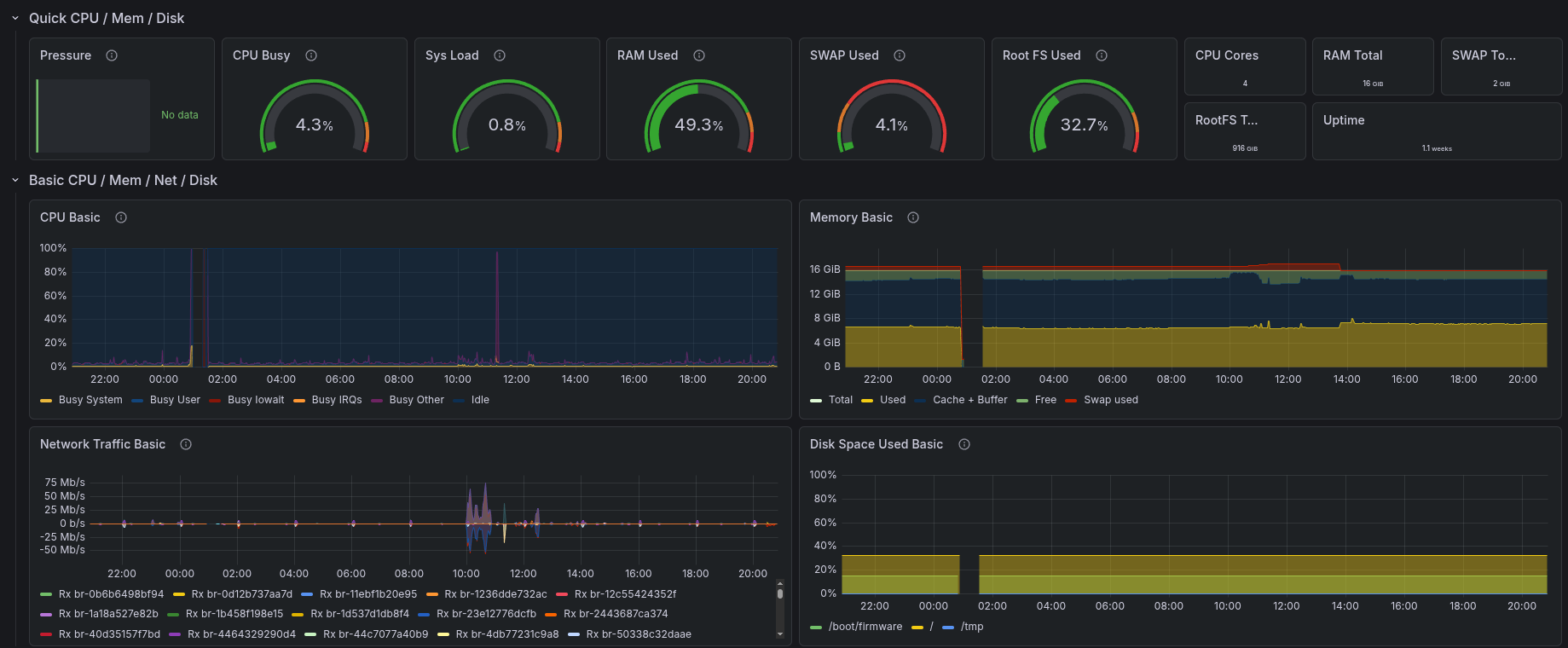
For monitoring, I use Grafana Dashboard and Prometheus. It's not much but it gets the job done. There's not really that many metrics that I need to see except for CPU Usage, Ram Usage and Temps. I ain't gonna lie, setting up grafana was harder than I thought it would be. It could be because it was the first time I was configuring a data visualisation service of that sort. However, I've seen that it doesn't give an accurate reading of filesystem usage. It's off by +-2% on average but that's something I can work with so it's fine I suppose. I am actively looking into a better alternative that is more visually appeasing to me.
Hosted Services













Future Goals
- Add an 8 port 2.5gig network switch to the setup cause I uhhh want a network switch
- Possibly make a pi cluster setup with more than 3 pis and mount it all on a 4U rack
- Add more storage to it, preferably, nvme ssds. However, doing so will need a PCIe splitter that would reduce read/write speed. Have to get some benchmarks to see how big of a difference it would be and if it will hamper my workflow or not
- If doing a pi cluster, learn and implement docker swarm to the setup
- In the distant future, move to a better server system
Honorable Mentions
The people I follow from the homelabbing community who inspires me to go deeper into the computers and networking wormhole and to keep learning, building and breaking servers↑ Back to Top